
UFC 6
Accessibility Resources

Prove your mettle inside the octagon and forge your fighting legend in EA Sports™ UFC 6! Whether you follow your own path in “Career mode” or you decide to try out the new narrative story mode in “The Legacy”, you’ll encounter realistic fights and intense challenges powered by Frostbite™. Whether you’re a newcomer to the octagon or a returning veteran, we want to let you know of the latest changes to the game’s accessibility so your first experience goes smoothly.
On first launch, players will be presented with a set of hospitality settings that allows them to configure their experience to their initial needs. An even deeper settings menu is presented after, in the main menu. As you onboard, please take the time to review the settings and other design considerations outlined in this guide.
Important Information: Please note that this information is based on the US, English version for consoles only. For more information about the game, patch notes, and news, visit the official website.
Noteworthy Features
Visual
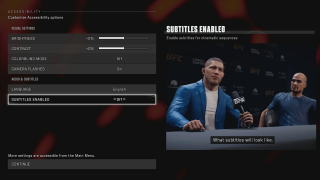
Subtitles
- Subtitles can be toggled either during the First Time User Experience or within the settings menu.
- Subtitles feature a semi-opaque container enabled by default to help with readability.
Colorblind mode
- Full-screen colorblind filters can be applied to cater for the main three types of color vision deficiency (Protanopia, Deuteranopia, Tritanopia).
- A UI visual preview is present in the settings menu to show how the filters would look like in-game.
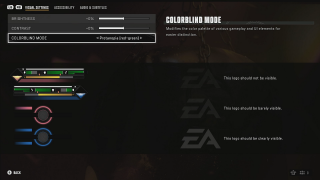
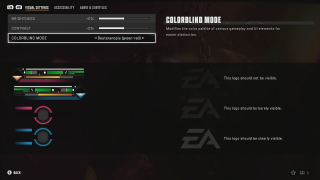
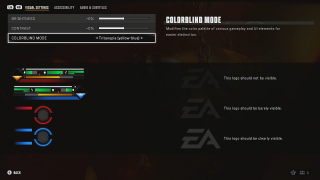
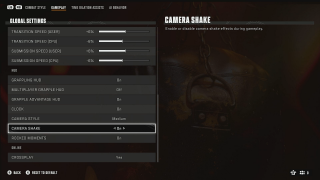
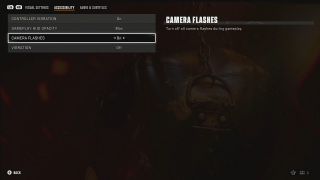
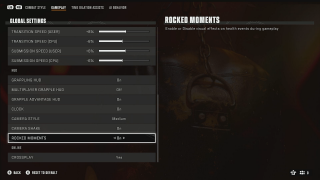
Visual comfort settings
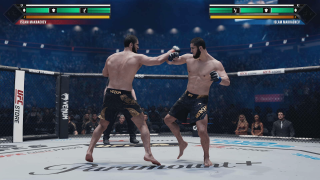
- Camera shake can be disabled for active gameplay.
- Camera flashes in gameplay can be disabled.
- “Rocked moments” visual effects disables certain visual effects that happen on health events during gameplay.
User interface
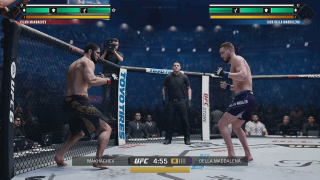
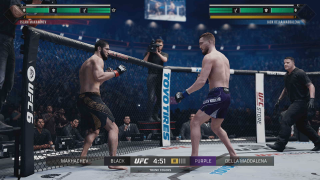
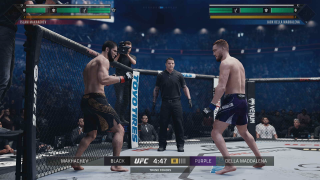
- HUD opacity can be adjusted to Max, 90%, 80%, 70% and Min.
- Several HUD elements can be toggled off, such as the clock, or the grapple HUD.
Audio
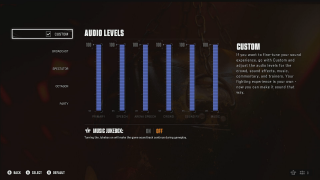
Volume sliders
- Audio presets help players choose from a few options of sound levels for the different sources.
- Players can also customize every volume level for all sources to their liking.
Controls

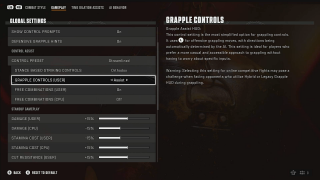
Assisted control presets
- Streamlined control preset is a brand new control preset that simplifies controls to perform complex moves and combos with few button presses, and enables all assists.
- For the players that are familiar with previous UFC games, default & Authentic presets do not feature the simplified controls assists.
- Players can individually customize whether they want to use assists or simplified controls on very granular toggles and settings, allowing them to tailor the controls to their desired experience.
- Note: Standup Defense Assist is only available in offline modes.
Controller Settings
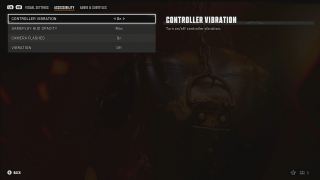
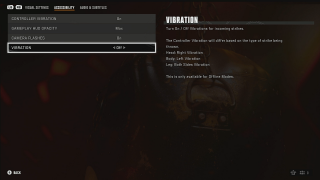
- Vibration can be toggled on or off completely.
- Haptic feedback to strikes gives additional information about where damage is received by letting users feel vibration on the right, left or both sides of the controller. This can be toggled off, and is only available in offline modes.
Gameplay
Gameplay modifiers
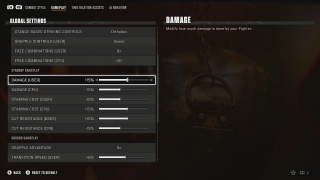
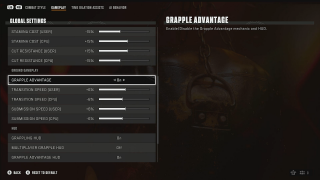
- Damage, stamina costs and cut resistance modifiers can be applied to players or opponents, in 1% increments to a maximum of +100% and a minimum of -100%.
- Transition speed and submission speed modifiers can be applied to make players or opponents, in 1% increments to a maximum of +100% and a minimum of -100%.
- Note that these modifiers can only be used in offline modes.
Time dilation assists
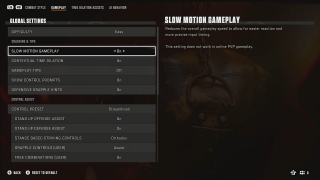
- Slow motion gameplay toggle allows for the entire game to run at a reduced speed to facilitate reactions and precise input timing.
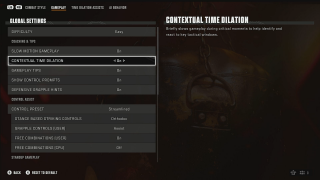
- Time dilation assists makes the game temporarily slow down at certain situations, on a customizable list for when players may or may not want extra help reacting to them.
- Note that game speed settings only affect offline modes.
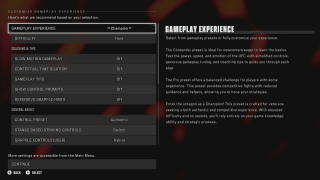
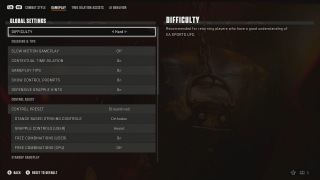
Experience and difficulty presets
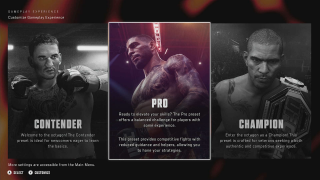
- Three sets of experience presets are presented upon first time user experience, enabling a set of assists and difficulty settings to help kickstart the experience without any friction. For those players who may want something different, they can access the full set of settings to adjust to their needs.
- There are five difficulty levels to choose from that will affect how opponents controlled by the AI will behave in combat.